Instagram Creator Profile Setup: How to Build a Professional Page That Gets Clicks
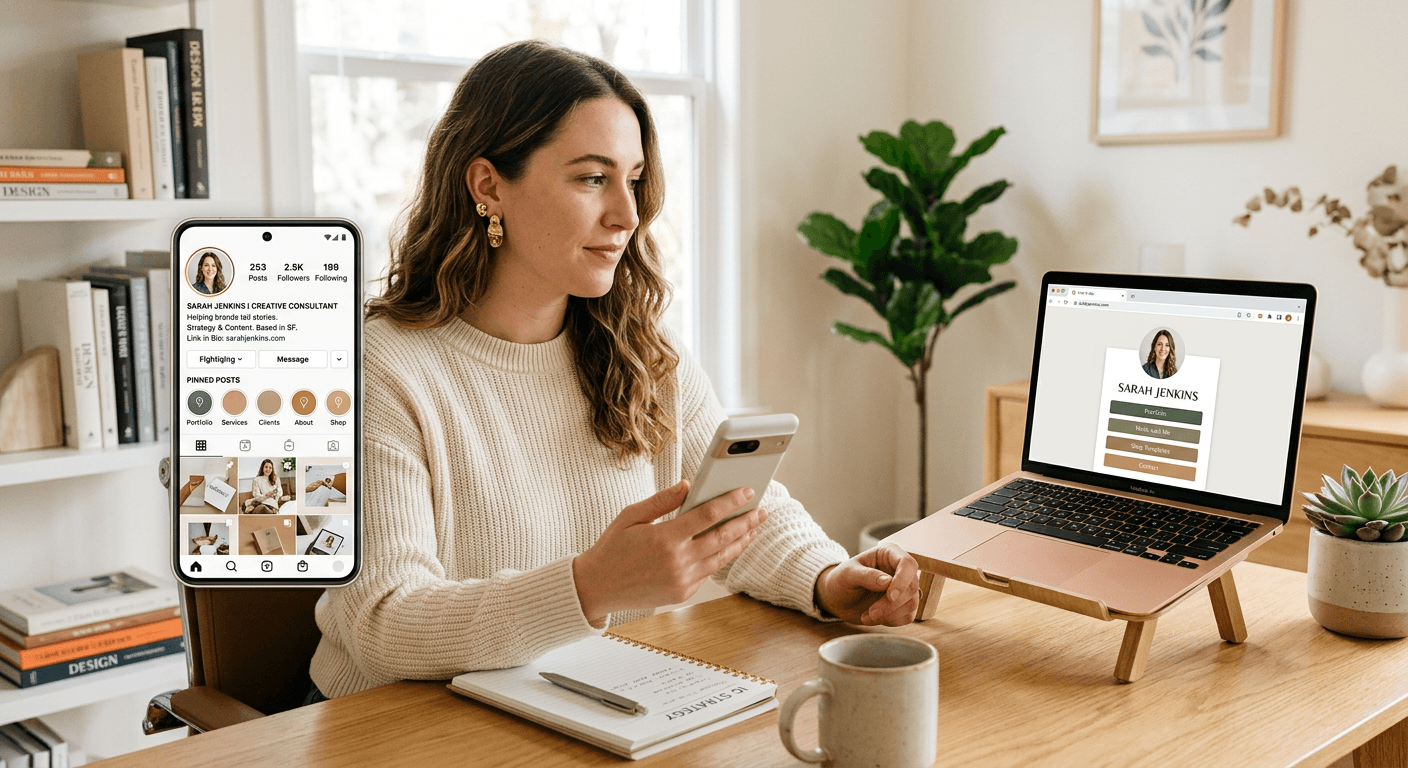
The profiles that convert on Instagram are rarely the prettiest ones. They are the ones where a new visitor can tell, in about five seconds, who you are, what you make, and what they should do next. If you are an instagram creator trying to look credible to brands, followers, or buyers, that clarity matters more than cleverness.
Quick Summary
A professional Instagram profile is a clear front door for your content and business. The setup that works best uses a recognizable username, a specific bio, consistent visuals, a focused link destination, and pinned proof that tells new visitors why they should stay.
- Pick a username people can say, search, and remember
- Write a bio that explains your niche and next step fast
- Use your profile photo, highlights, and pinned posts as trust signals
- Send traffic to one organized link destination, not a messy list
- Review your profile from a new visitor's point of view every month
Table of Contents
- Quick Summary
- 1. Your profile must answer three questions immediately
- 2. A weak username makes you harder to find than you think
- 3. Your bio should do one job, not five
- 4. Visual consistency matters because strangers judge fast
- 5. The link in bio is where most profiles leak attention
- 6. Pinned posts should do the selling your bio cannot
- 7. Business signals help only when they match what you actually offer
- 8. Profile reviews catch decay before growth stalls
- Common Pitfalls & Troubleshooting
- FAQ
- Recommended Reads
1. Your profile must answer three questions immediately
Start with positioning before you touch the settings
Before changing your bio or profile image, decide what the profile is supposed to do. That sounds obvious, but this is where many creators go wrong. They build for self-expression first, then wonder why the profile does not convert casual viewers into followers, inquiries, or customers.
A strong professional profile answers three questions on first view:
- Who is this for?
- What do they make or help with?
- What should I do next?
If your page cannot answer those three, every later improvement is cosmetic. A beauty creator, for example, may be deciding between brand partnerships, affiliate clicks, and service bookings. Those are not the same profile. The wording, pinned content, and link destination should all support the main outcome.
What to do today: write one sentence that starts with, "This profile helps..." If you cannot finish it in plain language, the account positioning is still too broad. That is the real first step for any instagram profile creator trying to look professional instead of accidental.
2. A weak username makes you harder to find than you think
Choose a name people can search, spell, and mention
The best username creator for instagram decisions are boring in the right way. They are short enough to remember, close enough to your creator name to reinforce recognition, and simple enough that somebody can type them after hearing them once in a video or podcast.
What actually works:
- Keep it close to the name you use publicly
- Avoid extra punctuation, repeated underscores, or random numbers
- Do not change it often unless there is a real rebrand
- Match the handle with your display name as closely as possible
The failure mode here is fragmentation. A creator uses one name on Instagram, another on TikTok, and a third on their store or newsletter. Audiences do not experience that as creative variety. They experience it as uncertainty. If a brand manager cannot quickly confirm they found the right account, you have created friction where you needed trust.
Check this today by saying your handle out loud to someone and asking them to type it without seeing it. If they misspell it, your username is costing discoverability.
Practical rule: If your handle needs explanation, it is probably too complicated for growth.
3. Your bio should do one job, not five
Write for the first visit, not for people who already know you
Most weak bios fail because they try to sound interesting instead of being informative. Inside jokes, vague titles, and long lists of interests may feel personal, but they ask a stranger to work too hard. A professional bio reduces cognitive load.
Good instagram profile bio ideas usually contain four elements:
- A clear niche or promise
- A specific audience or outcome
- A credibility cue if you have one
- A next action
For example, a creator focused on UGC, product reviews, or education should make that visible. Do not assume your last three posts will explain it. Instagram visitors often scan the bio before they decide whether to scroll.
A common mistake is stacking too many identities into one tiny space: creator, coach, founder, traveler, speaker, and investor all in one line. That reads less like authority and more like indecision. Pick the role that matters to the visitor you want most.
A clean bio starts with one main claim and one clear next step. Remove any line that does not help a new visitor understand either point. If you mention the instagram creators fund, treat it carefully - it is not a substitute for explaining your niche, offer, or content value.
4. Visual consistency matters because strangers judge fast
Use photo, grid, and highlights as one system
People talk about "aesthetic" as if it were decoration. In practice, visual consistency is a navigation tool. It helps a stranger predict what your content is about before they read captions. That matters more for creators than many realize, especially when profile visits come from Reels where the audience does not know you yet.
Start with the profile photo. It should be recognizable at a tiny size. If you are the brand, use a clear headshot or face-forward image with enough contrast that it survives being shrunk. If the account is product-led, use a mark or product image only if it remains legible on mobile.
Then look at your recent grid and highlights together:
- Are your cover images visually related?
- Do your highlight titles make sense at a glance?
- Can a first-time visitor tell what topics you cover?
- Are old highlights still supporting the current offer?
The mistake here is treating highlights as storage. They are not an archive. They are onboarding. Delete or reorder anything that reflects a past direction you no longer want to sell.
What to check today: open your profile on a phone you do not usually use, or view it logged out. If the page looks inconsistent before you tap anything, the issue is structural, not artistic.
5. The link in bio is where most profiles leak attention
Give visitors one clean place to choose their next step
Creators often spend hours refining content and then send everyone to a single raw homepage, an outdated shop page, or a link stack with no order. That is where intent gets lost. A profile link works best when it reduces choice friction without hiding options people actually need.
For most creators, the practical structure is simple:
- Put the primary action first
- Group secondary actions by type
- Keep labels literal, not clever
- Remove dead campaigns quickly
- Make the page visually consistent with your Instagram identity
A dedicated link hub is useful here because it lets you organize brand links, products, bookings, content, and contact paths in one place. If you want an example of what that structure looks like, a page such as HeyLink.me - One Link for Everything shows the category of destination that suits creators who need one branded path instead of rotating single links.
What people get wrong is assuming more links means more opportunity. Usually it means weaker decision-making. A visitor coming from a Reel or Story needs orientation first. Put the most likely next step at the top and make the rest obviously secondary.
6. Pinned posts should do the selling your bio cannot
Pin proof, orientation, and intent
Pinned posts are some of the highest-value real estate on the profile because they stay visible after individual posts lose momentum. Used well, they answer the questions the bio cannot fully cover.
The three pinned post jobs I recommend are:
- Orientation: a post that explains what the account is about and what followers will get
- Proof: a post that demonstrates results, quality, testimonials, or your strongest work
- Intent: a post that points toward the action you want, such as inquiries, affiliate shopping, services, or a series
The common mistake is pinning your highest-view post even when it no longer represents your direction. Viral reach and strategic fit are not the same thing. If your most popular post attracted the wrong audience, pinning it keeps the mismatch alive.
A profile audit requires reviewing your top three pinned posts to see whether each one earns its place. If one of them only says "this did numbers," replace it with something that helps a new visitor decide to follow or click.
7. Business signals help only when they match what you actually offer
Set category, contact paths, and creator positioning carefully
Professional accounts often add every available feature and assume that makes them look more established. It can do the opposite. Contact buttons, category labels, and creator settings only help when they support a real path the visitor can use.
If you accept inquiries, make sure the route is active and monitored. If you list a category, choose one close enough to your actual work that it reduces confusion instead of adding it. If you are presenting yourself as a creator, the page should show content and commercial intent that fit that role.
This is also where misconceptions show up around the instagram creators fund. Some creators mention monetization programs as if the existence of one proves professionalism. It does not. Brands and followers care more about fit, consistency, audience trust, and whether your page clearly communicates what kind of creator you are.
Check this today by tapping every contact path on your own profile. If any button leads nowhere useful, remove it until it is ready. An incomplete professional signal is worse than none.
8. Profile reviews catch decay before growth stalls
Audit from the outside, not from memory
Instagram profiles decay quietly. Old launches stay in highlights, bios reference dead offers, links point to last quarter's campaign, and pinned posts reflect a niche you have already outgrown. Because you see the page all the time, you stop noticing the drift.
A monthly review is enough for most creators. Do it like this:
- Open the profile as if you are a stranger.
- Read only the first screen.
- Ask what action the page seems to want.
- Check whether the latest posts support that action.
- Test the link and contact path.
The key mechanic is outside perspective. Do not review based on what you meant the profile to say. Review what it actually says right now. Screenshots help because they freeze the page and make mismatches easier to spot.
What to do today: take a screenshot of your current profile and mark anything a new visitor would not understand in five seconds. Fix those items first. That usually means the bio, pinned posts, or link order - not a total redesign.
Common Pitfalls & Troubleshooting
If a profile is underperforming, the outside symptom is often the same: people visit, then leave without following, clicking, or messaging. The cause is not always the same.
Lots of profile visits, few follows
Most often, the real cause is unclear positioning. Visitors cannot tell whether the account is for education, entertainment, products, or services. Check your bio and pinned posts first. If they do not state the niche and value clearly, fix that before changing content style.
People follow, but brands or clients do not inquire
This usually points to weak commercial signaling rather than weak content. The page may be enjoyable but not obviously workable. Check whether your bio mentions what you offer, whether your proof is pinned, and whether a contact path exists and works.
Link clicks are low even though Stories and Reels get attention
The common cause is bad transition from content to destination. Either the callout in content is vague, or the link page gives too many options at once. Check whether the top link matches the promise made in your content. If not, reorder the destination around current campaigns.
The profile looks polished, but growth quality is poor
That often means the page is attracting the wrong audience. This happens when pinned posts or the bio emphasize broad appeal instead of the niche you actually want. Check which post first brought recent followers, then see whether it aligns with your business or creator direction.
People message with basic questions already answered elsewhere
This is usually a navigation problem, not a reader problem. Your highlights, bio, or link labels are not doing their job clearly enough. Rename links and highlights in plain language and move the most common question into a pinned explainer.
FAQ
How often should an Instagram creator update their profile?
Review it monthly, and update immediately after a rebrand, launch, niche shift, or new offer. Profiles become inaccurate faster than most creators expect, especially the bio, highlights, and link destination.
What makes a good Instagram bio for creators?
A good bio tells a new visitor what you do, who it is for, and what to do next. The best instagram profile bio ideas are usually specific, plain, and tied to one clear action rather than trying to sound clever.
Should I use my real name or a brand name as my username?
Use the name your audience is most likely to search for and remember. If you are the product, your own name usually works best. If the account is built around a distinct brand, use the brand name consistently across platforms.
Do I need a website, or is a link-in-bio page enough?
That depends on what the profile needs to do. A link-in-bio page suits creators who need one organized destination for content, offers, and contact options. It is less suitable when you need a full site with deep navigation, large catalogs, or complex long-form pages.
Does mentioning the instagram creators fund help my profile look more professional?
Not by itself. Monetization references can add context, but they do not replace clear positioning, proof, or a clean user path. Visitors care more about what your profile shows than about the existence of a program.