How to Create and Optimize Instagram Bio Links
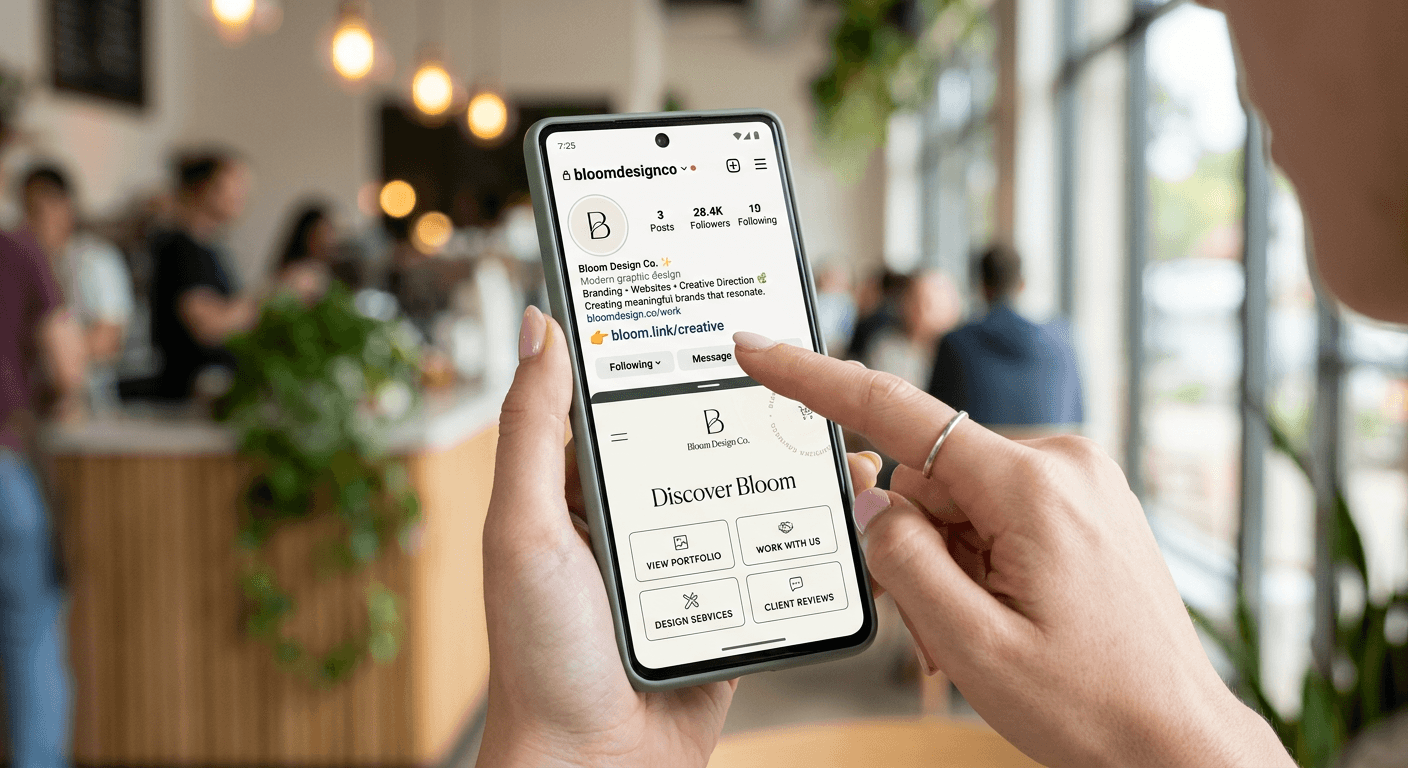
Optimizing your social presence begins with understanding how to put link in your instagram bio effectively. Because Instagram limits users to a single primary URL, the strategic use of a landing page aggregator is essential for driving traffic to your most important content, products, or services. By mastering the art of adding link to instagram bio, you transition your profile from a passive feed into a functional conversion engine.
Quick Summary
An Instagram bio link is the primary URL displayed in your profile that directs followers to external web destinations. Since Instagram restricts clickable links to this single field, creators and businesses use landing page tools to consolidate multiple URLs, simplifying the user journey and increasing engagement from their social traffic.
- Use a dedicated landing page tool to bypass the single-link limitation.
- Keep your URL slug short, memorable, and branded for better click-through rates.
- Update your primary link periodically to align with current campaigns or seasonal content.
- Monitor click analytics to identify which destinations offer the highest conversion potential.
Table of Contents
- Quick Summary
- Understanding the Instagram Bio Link
- How to Add a Link to Your Instagram Profile
- Selecting a Link Aggregator Tool
- Optimizing Your Link Strategy for Conversions
- Common Pitfalls and Troubleshooting
- Frequently Asked Questions
- Recommended Reads

Understanding the Instagram Bio Link
What is instagram bio link functionality in the context of modern social commerce? Essentially, it is the only permanent, clickable pathway available on your profile page that leads outside of the Instagram ecosystem. While you can share temporary links in Stories, the bio link remains the permanent "home base" for your audience to explore your broader digital footprint.
The Importance of Centralization
Centralization prevents audience friction. When you direct users to a single, optimized landing page, you eliminate the need for them to search for your website, store, or latest blog post manually. Utilizing professional tools like digital profile management platforms allows you to present a clean, organized interface that showcases your primary brand objectives without cluttering your actual Instagram bio text.
How to Add a Link to Your Instagram Profile
Adding a link to your Instagram bio is a straightforward process, yet it requires careful attention to detail to ensure the URL is accurate and functional. Follow these steps to update your profile correctly:
- Open the Instagram app and navigate to your profile page by tapping your profile icon in the bottom right corner.
- Tap the "Edit Profile" button located directly below your profile bio.
- Locate the "Links" field. If you have previously added a link, you will see it listed here; if not, it will be empty.
- Select "Add external link" and enter your URL. Ensure you include the full "https://" protocol to ensure the link triggers correctly for all mobile browsers.
- Customize the link title if prompted, or save the changes to update your profile immediately.
Pro Tip: Always test your link after saving by clicking it directly from your profile page to ensure it loads the correct destination mobile-responsive page.
Selecting a Link Aggregator Tool
When evaluating a linktree for instagram bio or similar alternatives, you must prioritize page load speed, customization options, and deep analytics. A link aggregator should act as an extension of your brand identity rather than a generic utility. Look for platforms that allow for custom background images, branded button colors, and, most importantly, pixel tracking integration.
Key Features to Look For
- Deep Analytics: You need to know which links drive the most clicks to justify your content strategy.
- Customization: A professional appearance is paramount for building trust. If your landing page looks inconsistent with your Instagram aesthetic, users are less likely to convert.
- Dynamic Scheduling: Some advanced tools allow you to show or hide specific links based on dates or times, which is critical for time-sensitive promotions.
Optimizing Your Link Strategy for Conversions
Simply having a link is insufficient; you must optimize the user experience to maximize clicks. Use a clear, action-oriented call to action (CTA) in your Instagram bio to tell your audience exactly what to expect. For example, instead of just dropping a URL, write "Shop our latest collection below" to create a sense of purpose.
Strategic Placement of Links
Organize your buttons by priority. Your most important conversion target—such as a product landing page or a newsletter signup—should occupy the top position. If you are interested in simplifying how you manage these assets, you can explore efficient link organization methods that cater to high-traffic social accounts. By limiting the number of total links to five or six, you avoid "decision paralysis," ensuring that your followers click the most impactful options.
Common Pitfalls and Troubleshooting
One of the most frequent mistakes is using a long, unbranded URL that looks like spam or a security risk. Always use a custom domain or a clean vanity URL to improve brand recognition and trust. If your link is not working, verify that you haven't accidentally included a typo in the domain name or missing the protocol (http vs https).
Another common issue involves mobile compatibility. Ensure your landing page is fully responsive. If a user clicks your link and encounters a desktop-only layout, they will bounce immediately. Regularly audit your links; broken 404 links on your bio page are detrimental to your credibility and hurt your overall conversion funnel performance.
Frequently Asked Questions
Can I add more than one link in my Instagram bio?
While Instagram now allows multiple links via the "Links" menu in the Edit Profile section, using a dedicated landing page tool remains more effective for branding, analytics, and creating a cohesive user experience.
Should I use a bit.ly link in my bio?
It is generally better to use a custom-branded link or a clean URL provided by your aggregator tool. Bit.ly links can look suspicious to some users and prevent you from utilizing the rich design features of dedicated landing page services.
How often should I change my Instagram bio link?
You should update your link whenever you launch a new campaign, run a seasonal promotion, or release new high-value content. At a minimum, review your landing page monthly to ensure all offers are still active.
Will adding a link to my bio shadowban my account?
No, linking to reputable third-party landing page aggregators does not result in shadowbanning. Instagram actively encourages users to utilize the profile link field to drive traffic to their businesses.