How to Build QR Posts That Actually Convert Offline Traffic
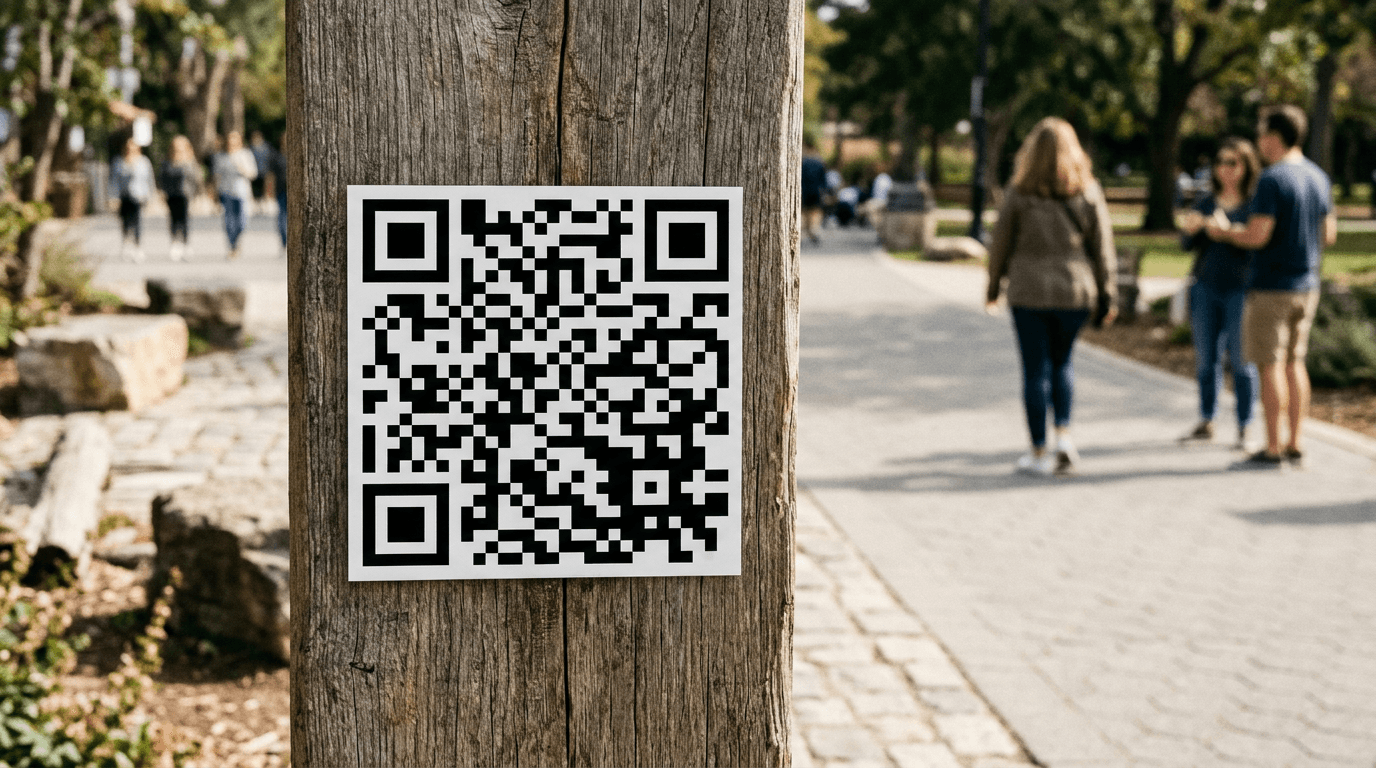
You are staring at a stack of freshly printed promotional flyers, and right in the bottom corner is a dense, postage-stamp-sized barcode next to six different platform logos. The graphic designer placed it there to look neat, but at that size, with that density, no smartphone camera will lock onto it from more than three inches away. Worse, if a customer does manage to scan it, it drops them onto a generic homepage rather than the specific offer they were reading about. Designing effective QR posts is not a graphic design task; it is an infrastructure deployment. You are building a bridge between physical reality and a specific digital action, and most of those bridges collapse because the creator misunderstood the mechanics of optics, routing, or human behavior.
Quick Summary
A successful offline-to-online marketing strategy uses dynamic routing and properly scaled physical codes to drive foot traffic directly to consolidated digital actions. Standard offline codes fail when they are too small to scan, lead to broken endpoints, or force users to navigate complex sites on their phones.
- Consolidate multiple platform destinations into a single mobile-optimized landing page before generating a code.
- Size physical codes based on expected scanning distance, never just visual layout.
- Use dynamic routing to allow destination updates without reprinting physical collateral.
- Track offline scans independently from standard digital web traffic.
Table of Contents
- Why standard QR posts fail to bridge the offline gap
- 1. Consolidate your destination before you generate the code
- 2. Set the physical dimensions and scanning distance
- 3. Design the physical collateral for context
- 4. Track the offline scans distinct from digital clicks
- 5. Update the destination without reprinting the code
- 6. Integrate offline codes with social media share links
- Common Pitfalls & Troubleshooting
- FAQ
- Recommended Reads
Why standard QR posts fail to bridge the offline gap
The fundamental error most businesses make with offline QR posts is treating them as decorative elements rather than functional optical routing tools. A code printed on a cafe table tent is subjected to direct sunlight, condensation, glare from laminated paper, and varying angles of approach by smartphone cameras with different focal lengths. When a business generates a static code pointing to a complex URL string, the resulting grid becomes incredibly dense. High-density grids require higher camera resolution and perfect lighting to resolve the individual modules (the black and white squares). If that dense code is printed too small or placed behind a shiny surface, the error correction fails, the camera refuses to lock, and the customer abandons the attempt. The mechanics of offline bridging require managing the optical environment, minimizing the data payload in the grid itself, and controlling the mobile experience immediately following the scan.
1. Consolidate your destination before you generate the code
The mechanics of centralizing traffic
The most common strategic failure in offline marketing is printing multiple codes on one piece of collateral - one for Instagram, one for a menu, one for a mailing list. A camera cannot easily isolate one code among three without the user physically covering the others with their hand. To fix this, you must link social profiles, products, and services into a single, mobile-optimized destination page. This reduces the optical clutter on your physical materials to exactly one target.
When a user scans the code, they should land on a lightweight, branded interface that presents clear, distinct buttons for each of those endpoints. This centralization also drastically reduces the data payload of the code itself. Instead of encoding a long string of parameters for a specific platform, you encode a short, clean URL pointing to your link-in-bio platform or centralized landing page. A shorter URL generates a simpler grid with fewer modules, which is significantly faster for a camera to resolve in poor lighting. The mistake people make here is routing the code directly to their desktop-heavy corporate homepage, forcing a mobile user standing in a store aisle to pinch and zoom to find the relevant information.
2. Set the physical dimensions and scanning distance

How distance dictates print size
The physical size of a code must be strictly dictated by the distance from which the user is expected to scan it, not by the aesthetic constraints of the graphic designer. The optical rule of thumb is a 10:1 ratio. If the user is expected to scan a poster from 100 inches away, the code must be at least 10 inches wide.
If you print a one-inch code on a banner hung ten feet in the air, you have created a decorative square, not a functional routing tool. The failure mode here is designing collateral on a 27-inch desktop monitor where the code looks massive, then printing it on a 4x6 inch card where the modules bleed into each other due to ink spread on cheap paper.
Practical rule: Always print a test copy of your design at actual size, tape it to the wall at the intended location, and attempt to scan it with an older, lower-resolution smartphone camera.
Furthermore, consider the error correction level. Standard generators allow you to set error correction from Level L, the lowest redundancy tier, to Level H, the highest redundancy tier. If you are printing on a flat, clean surface like a business card, Level L is sufficient and keeps the grid simple. If you are printing on a textured surface, a fabric, or a surface that might be partially obscured, you need Level H, which makes the grid denser and consequently requires you to print it larger to maintain scannability.
3. Design the physical collateral for context
Framing the call to action
A bare barcode hovering in empty space is visually confusing and gives the user no reason to pull out their phone. You must explicitly promote links by telling the user exactly what will happen when they open their camera. Will they get a discount? Are they viewing a digital menu? Are they entering a contest?
The mistake practitioners make is assuming the presence of the code is self-explanatory. It is not. The code must be framed with a specific, verb-led call to action. "Scan to view today's specials" or "Scan for a discount on your first order."
Mechanically, you must also respect the quiet zone. A code requires a margin of empty space (typically four modules wide) around its perimeter so the scanner can identify the finder patterns (the large squares in the corners). If you place text, borders, or other graphics inside this quiet zone, the camera will fail to separate the code from the background noise. Never let a designer place a bounding box flush against the data grid.
4. Track the offline scans distinct from digital clicks
Isolating the traffic source
If you point your physical collateral to the exact same URL you use in your email newsletters, your analytics dashboard will blend the data. You will have no way of knowing whether a visitor clicked a link on their laptop or scanned a flyer in a coffee shop.
To isolate offline performance, you must append UTM parameters to the destination URL before generating the code, or use the built-in tracking features of a dedicated link platform. The URL should look something like yourdomain.com/landing?utm_source=offline&utm_medium=poster&utm_campaign=summer_promo.
The mechanism of tracking allows you to calculate the return on investment for physical printing costs. If a poster has a high printing cost and generates zero scans over a month, you know the placement or the call to action failed. The common error here is forgetting that the longer the UTM string, the denser the code grid becomes. This is why using a dynamic routing service that relies on a short URL to handle the redirect (and appends the analytics on the server side) is vastly superior to encoding a massive string of parameters directly into the black and white squares.
5. Update the destination without reprinting the code
Dynamic routing mechanics
When a business runs a seasonal campaign, the physical collateral often outlasts the promotion. If you use static qr posting, the destination URL is permanently hardcoded into the printed pattern. When the campaign ends and that URL is taken down, anyone who scans the lingering flyer will hit a 404 error page.
Dynamic codes solve this by encoding a short, permanent intermediary URL. When a user scans the code, they hit a routing server that instantly redirects them to the final destination. The mechanic here is server-side redirection (usually a 301 or 302 redirect). Because you control the routing server, you can change the final destination at any time without altering the physical printed grid.
The mistake businesses make is printing thousands of metallic, high-cost storefront decals using static generators to save a minor subscription fee, only to realize six months later they need to change their domain name or primary booking platform, rendering the expensive physical assets entirely useless.
6. Integrate offline codes with social media share links
Closing the sharing loop
The goal of capturing an offline user is often to turn them into an online advocate. Once the user has scanned the code and landed on your mobile destination, you must provide a friction-free method for them to distribute your content to their own networks.
This is where social media share links come into play. Your centralized landing page should feature native sharing protocols (like Web Share API or platform-specific intent URLs) that pre-populate a message for the user. If they scan a code to view a product, a single tap should allow them to text that product link to a friend or post it to their feed.
The mechanical failure point here is using generic share buttons that just drop the bare URL into a blank message. You must configure the Open Graph meta tags on your destination page so that when the user shares the link, it generates a rich preview with an image, a title, and a description. An offline scan should initiate a digital chain reaction, but that reaction stalls completely if the resulting shared link looks like spam.
Common Pitfalls & Troubleshooting
When an offline-to-online deployment fails, the symptom is always "nobody is scanning it," but the root cause is usually optical or structural.
Symptom: The camera simply will not recognize the pattern.
- Diagnosis: The most frequent cause is insufficient contrast or a violation of the quiet zone. Printing a dark blue code on a black background, or letting text encroach on the perimeter, breaks the optical finder patterns.
- Fix: Ensure a high-contrast ratio (ideally black on white) and enforce a strict boundary of negative space around the code equal to at least four module widths.
Symptom: The camera recognizes the code but struggles to lock on, requiring the user to hold perfectly still.
- Diagnosis: The data density is too high for the physical print size. You have likely encoded a massive URL string directly into a static code, creating hundreds of tiny modules.
- Fix: Switch to a dynamic code provider to shorten the encoded URL, drastically simplifying the grid pattern and allowing faster camera resolution.
Symptom: Scans work perfectly in the office but fail completely in the field.
- Diagnosis: Environmental interference. You printed the code on high-gloss laminated paper or placed it behind glass. The glare from sunlight or overhead lighting washes out the contrast.
- Fix: Always print functional optical markers on matte finish paper or vinyl. If placing behind glass, scale the code up significantly to compensate for reflection interference.
Symptom: Users scan the code but bounce instantly from the destination page.
- Diagnosis: You routed a mobile user to a desktop-optimized site, or the page took more than three seconds to load over a cellular connection.
- Fix: Route all physical traffic exclusively to a centralized, mobile-first landing page designed specifically for cellular bandwidth constraints.
FAQ
What error correction level should I use for outdoor printing?
Always use Level H (30%) for outdoor collateral, stickers, or any surface that might suffer wear, tear, or dirt. This ensures the code remains functional even if a significant portion of the grid is obscured, though it requires printing the code slightly larger to maintain readability.
Why is my static code so dense and hard to scan?
A static grid represents the exact characters of your URL. If you encode a 150-character link full of tracking parameters, the generator must create a massive matrix of tiny squares to hold that data. Using a dynamic short link solves this by reducing the character count to a bare minimum.
Can I track which specific poster generated a scan?
Yes, but only if you use unique tracking parameters for each location. You must generate a distinct code for "Poster A" pointing to url.com/?source=posterA and a different code for "Poster B" pointing to url.com/?source=posterB. You cannot use the same code file and expect location-specific data unless you are using advanced GPS-gated dynamic routing.
Should I put my logo in the middle of the code?
Placing a logo in the center exploits the built-in error correction of the format by deliberately breaking the middle modules. While generators support this, it lowers the overall fault tolerance of the code. If you must use a logo, keep it small (under 15% of the surface area) and ensure the error correction is set to the maximum level.