Best Link in Bio Tool for Creators to Maximize Traffic and Conversions in 2026
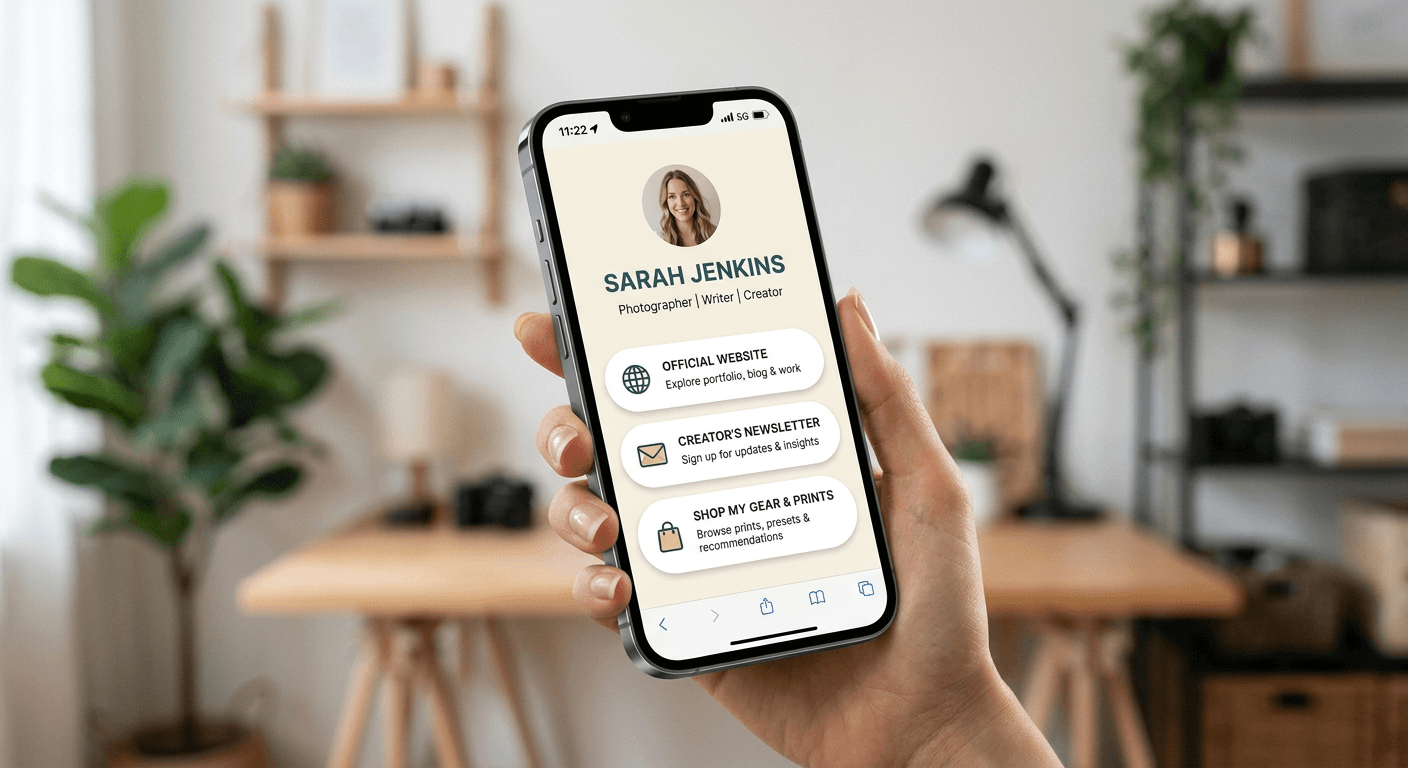
Optimizing your social presence requires more than just a polished aesthetic; it demands a strategic bridge between your social audience and your off-platform assets. Selecting the right link in bio tool for creators is a fundamental step in converting passive scrollers into active leads, subscribers, or customers. By centralizing your digital footprint, you create a seamless user experience that elevates your professional standing and simplifies how you manage your online traffic.
Quick Summary
A link in bio tool for creators acts as a centralized landing page that hosts multiple URLs, allowing users to bypass the single-link limitation of social media platforms. These tools enable better traffic tracking, lead generation, and brand consistency for digital entrepreneurs.
- Increases click-through rates by offering curated destination paths.
- Provides detailed analytics on audience behavior and link performance.
- Allows for aesthetic customization to match personal brand identity.
- Facilitates monetization through embedded product galleries and payment integrations.
Table of Contents
- Comparison of Top Link in Bio Platforms
- Linktree for Instagram Bio
- Dedicated Custom Landing Pages
- E-commerce Integrated Link Tools
- Minimalist Redirect Managers
- How to Choose the Right Tool for Your Brand
- Frequently Asked Questions
- Recommended Reads

Comparison of Top Link in Bio Platforms
| Feature | Category | Best For | Monetization |
|---|---|---|---|
| Aggregator | Linktree | General creators | Built-in tipping |
| Custom Page | Beacons | Advanced creators | Advanced commerce |
| E-commerce | Stan Store | Digital creators | Direct selling |
| Minimalist | Bitly | Simple redirects | Minimal |
Linktree for Instagram Bio
Using a platform like Linktree for Instagram bio management is the industry standard for creators who want immediate setup and broad compatibility. This service provides a simple, mobile-optimized list of links that functions as a virtual business card. Its strength lies in its accessibility and the low barrier to entry, making it an ideal starting point for those building an instagram profile creator strategy.
Pros and Cons of Linktree
- Pros: Extremely fast setup, robust free tier, and reliable server uptime.
- Cons: Limited design flexibility compared to custom page builders and heavy branding on free plans.
Dedicated Custom Landing Pages
For creators who need a pro bio for instagram that reflects a high-end brand aesthetic, custom landing page builders are superior. These tools allow you to embed videos, newsletter sign-up forms, and modular blocks that feel like a miniature website rather than a simple link list. If you want to refine your instagram bio for committed followers, this approach provides the depth required to share your portfolio or deep-dive content.
Pros and Cons of Custom Page Builders
- Pros: Superior design control, better integration with CRM tools, and higher engagement potential.
- Cons: Steeper learning curve and higher monthly costs for advanced features.
E-commerce Integrated Link Tools
If your primary goal is revenue, you need a solution that acts as a storefront. These tools allow you to add a link to instagram bio that leads directly to checkout pages, digital downloads, or booking calendars. This category eliminates the friction of navigating a complex website, making it a critical asset for creators selling courses, templates, or consulting services.
Pros and Cons of E-commerce Tools
- Pros: Reduces customer journey steps, built-in tax calculation, and direct payment processing.
- Cons: Transaction fees are usually higher than standard subscription-based tools.
Minimalist Redirect Managers
Sometimes, the best strategy is simplicity. Minimalist managers perform simple URL shortening and tracking. These are best suited for creators who want to direct traffic to one specific, high-priority URL - such as a new product launch - without the clutter of a multi-link page. Learn more about optimizing your traffic flows at https://heylink.us.com to ensure every visitor counts.
Pros and Cons of Redirect Managers
- Pros: Cleanest user experience and extremely lightweight.
- Cons: Cannot host multiple links and lacks the "directory" functionality of other tools.
How to Choose the Right Tool for Your Brand
Choosing the right solution requires analyzing your primary objective. If you are an educator or consultant, prioritize tools with calendar integration. If you are a visual artist, choose a platform that allows for high-resolution galleries. You can find more strategies for managing your digital presence via https://heylink.us.com for professional insights on conversion tracking.
Consider the scalability of the platform. A tool that works for 1,000 followers might lack the enterprise-level analytics or team collaboration features you will need when your brand scales to 100,000 followers. Always prioritize platforms that offer GDPR-compliant data collection and robust security features to protect your audience.
Frequently Asked Questions
Does using a link in bio tool hurt my engagement?
No, actually it helps. Because it keeps users within a clean, fast-loading environment, it often improves the user experience, leading to higher conversion rates compared to sending traffic to a slow, unoptimized homepage.
Can I change my link as often as I want?
Yes. These tools are designed for agility. You can swap links, add promotional banners, or reorder your buttons at any time to match your current campaign goals.
Do I need a website if I have a link in bio tool?
For professional creators, a dedicated website is still recommended as your long-term asset, but a link in bio tool serves as the perfect "front-end" to filter social media traffic effectively.
Recommended Reads
- https://heylink.us.com - Expert strategies for maximizing your social media conversion rates.
- https://heylink.us.com - How to build a consistent personal brand across all social platforms.